

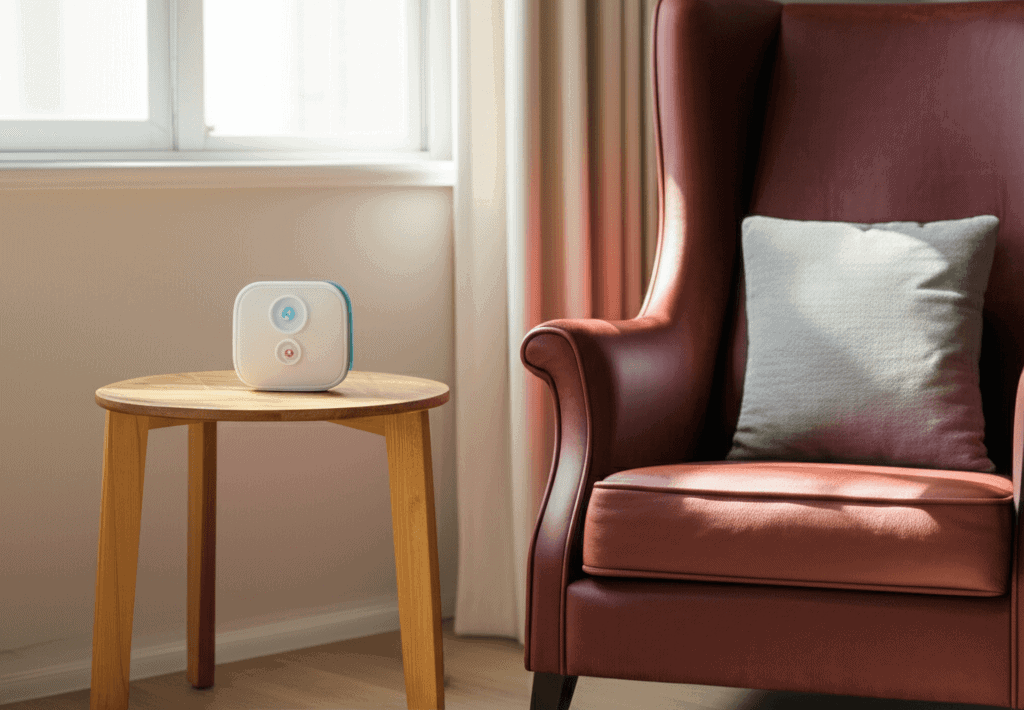
Having an elderly family member living alone brings the tough task of keeping them safe without always being nearby. Emergency alert systems for seniors shine like a lifeline, letting them summon help quick when danger pops up, without losing their freedom. These systems act like a safety net, linking them straight to emergency services or loved ones with just one button press. Picking the right system and knowing how to use it can change everything. People who want to protect their aging family get true peace of mind and a way to stay close, even from miles away. These alert devices work quietly but powerfully, ready to jump into action when needed. Learning how to choose the best one means giving your family the security they truly deserve. Keep reading—this could be the key to safer, worry-free days.
We will cover device types, real world use cases, set up and testing tips, privacy and response expectations, and how to make a plan your family will stick with. The goal is to give you the tools to set up reliable safeguards that blend smoothly into daily life and respond reliably when something goes wrong.
Keep Them Safe Without Being There Emergency Alerts for Seniors and Why They Matter
Emergency Alerts for Seniors are more than a gadget trend. Falls and sudden medical events are common causes of emergency calls for older adults. Alerts cut the time between an incident and help arriving which can reduce complications and recovery time. For people who live alone or have mobility limits an alert system is often the most direct path to fast help.
Beyond immediate response an alert device can connect to family members, neighbors, or a professional monitoring service. This link is key when travel or work schedules prevent regular in person check ins. With the right set up alerts let family maintain involvement without constant oversight.
How Emergency Alert Systems Work in Everyday Life
Most systems use a combination of hardware and services. A wearable button or pendant sends a signal when pressed. Many devices include fall detection that triggers automatically if a sudden movement pattern matches a fall. The signal reaches a base station, a monitoring center, or a smartphone app and a trained operator or chosen contacts respond.
Response flow varies with the service model. Some systems call the wearer first to confirm whether help is needed. If the person cannot respond the service contacts emergency responders or listed emergency contacts. When family is listed as a contact they get alerted so they can follow up or meet first responders at the home.
Types of Emergency Alert Devices and Which One Fits Best
There are several device styles to consider. Each type has trade offs that affect convenience cost and reliability.
- In home base systems A base station connects to a landline or cellular network and pairs with wearable buttons. These are simple to use and work well for those who spend most time at home.
- Mobile pendants and watches These work away from home using GPS and cellular service. They are good for people who are active in the community or who travel to appointments.
- Smart speaker and phone integration Voice activated options link to virtual assistants or smartphone apps and can add convenience. They require comfort with the technology and stable internet or cellular service.
- Medical alert apps Apps on smartphones can replace dedicated hardware if the user carries the phone and is comfortable managing settings and battery life.
Match device type to daily routines and mobility. For someone who rarely leaves the house an in home base with a simple pendant may be the most reliable choice. For an active older adult who goes to appointments and shops a mobile GPS enabled device will provide coverage beyond the house.
Choosing the Right System for Health and Lifestyle
Picking equipment is partly about features and partly about habits. Ask questions about how the person spends time what medical conditions they have and how tech friendly they are. Consider these practical factors when comparing options.
- Connectivity Does the system use landline cellular or Wi Fi Does the home have reliable cell service
- Battery life How long does a wearable run between charges Is charging easy to remember
- Automatic detection Is fall detection available and how accurate is it in real life
- Range Will the device work in the yard garage or a detached structure
- Ease of use Are buttons large and labeled Is there clear feedback when a call goes through
Practical tip on trial periods and contracts
Look for trial periods and short term commitments so you can test a system in daily life. Many services offer 30 day trials and month to month plans which give time to see if the device suits routines without a long term contract.
Real case example
A woman in her late seventies who loved visiting farmer markets chose a mobile pendant with GPS. After a minor fall in a busy parking lot the device connected to a monitoring center and also sent location details to a family member. That quick notification cut response time while the family was still on their way.
Set Up Training and Daily Use Tips
Even the best device is only helpful when it is charged worn and tested. Simple routines will make the system reliable.
- Daily charging routine Place charging near the bed or a common spot and make it part of a morning or evening habit
- Wear rules Create clear guidance about where to wear the device for best detection like on the chest or around the neck depending on the model
- Location planning If the person spends time in the yard confirm range and cellular coverage in that spot
- Practice calls Run test calls weekly so the wearer knows what will happen and so contacts know how a real alert will look
- Label and document Keep a printed list of emergency contacts and medical information near the base station or on the fridge
How to train family and neighbors
Share a short checklist that details steps to take when an alert arrives. Include who to call who will go to the house and where keys are stored. This clarifies roles and reduces confusion during an actual event.
Privacy response times and what you should expect from monitoring services
Monitoring services vary in how they handle calls and data. Read privacy terms to understand what data is stored who has access and how location is used. Many companies keep only the minimum information needed to provide service but it is important to confirm.
Response speed is crucial. Companies publish typical response times and some provide guarantees. If response time matters choose a provider with published metrics and read user reviews about real experiences. Also check whether the service calls local emergency services directly or funnels through a centralized operator which then contacts local responders.
Cost subscription and funding options
Costs include an initial hardware fee and a monthly monitoring subscription for many services. Budget options exist as do premium plans with added features. When comparing costs calculate the full year expense and how that compares to alternatives like check in visits or medical transport memberships.
- Low cost options Basic pendants with self response or family only alerts
- Mid range Devices with automatic fall detection and monitoring centers
- Higher end GPS devices with unlimited mobile coverage and additional sensors for home activity
Some non profit programs local aging services and insurance plans offer partial support for emergency alert equipment or subscriptions. Check local agencies on aging to learn about available help. Veterans may have benefits that cover part of the cost. Also ask whether the device company offers discounted plans for long term care facilities or multiple units for extended family.
How to talk to your loved one about using an alert device
Introducing an alert device can feel sensitive. Approach the conversation from a perspective of safety and independence rather than loss of control. Start by discussing scenarios where help would be hard to get quickly and explain how the device keeps them connected to help they choose.
Offer a trial and include the person in the set up so it feels like their tool rather than an imposed watch. Share examples of neighbors or friends who use similar devices. Demonstrate how simple the operation is and let them try the device in a mock alert so they experience the process first hand.
Framing the device as a way to stay active and safe tends to work better than focusing on decline. Revisit the conversation if resistance is high and consider bringing in a neutral third party like a clinician who can speak to the health benefits.
For more expert guidance and step by step advice from clinicians review this in depth piece that explains monitoring options and real world use scenarios and then follow the links to device recommendations access now
Common pitfalls and how to avoid them
Many problems that reduce effectiveness are avoidable. The most frequent issues are missed charging missed wear and incorrect contact lists. Create a simple checklist and place it where the wearer and family can see it. Update the contact list when phone numbers change and after medical visits that affect care needs.
Avoid overcomplicating the set up with too many features that the wearer will not use. Simplicity increases consistency which improves outcomes. Also keep an extra charged device or backup phone available for travel or extended outages.
Finally do not rely on a single layer of protection if the person has higher fall risk. Combine an alert with scheduled wellness calls in the morning and evening and a neighbor check in for extra coverage.
Conclusion
Emergency Alerts for Seniors make it possible to keep them safe without being there by providing quick access to help and a direct line to family or professional responders. Choosing the right device means matching features to daily routines testing the system in real life and building simple habits for charging and wearing. Practical steps like running trial calls setting up a clear contact plan and documenting medical information will greatly increase reliability.
Start by listing your loved ones routines and any mobility or medical concerns then choose a device that covers those needs. Take advantage of trial periods and short term plans to confirm the fit and train both the wearer and family contacts on what to do when an alert occurs. If you want expert commentary on using these devices check the clinical perspective linked above and consult with a primary clinician to align the system with specific health issues.
Act now to review options select a system and run a test within the week. Taking these steps will reduce response times when incidents occur and help your family maintain safe independence. Set up the device pick a charging routine and schedule your first practice call this month so everyone is comfortable and ready if a real emergency happens.